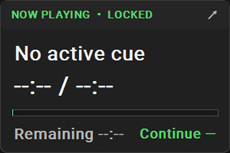
StageQ Brings QLab Remote Control and Cue Monitoring to WindowsJapan-based system32recordings has released StageQ, a Windows companion application designed for professionals using QLab 5 in theatre, live events, schools, performance venues, and other show production environments. StageQ allows users to monitor and perform essential remote operations on QLab running on a Mac from a Windows PC. Communication between the two systems is handled through OSC and TCP over a local network. Unlike workspace editing software, the company says, StageQ is focused specifically on live show operation. It allows sound operators, stage managers, directors, and technical staff to monitor QLab from locations such as backstage, the audience area, a secondary technical desk, or another operator position. The company says the product allows users to synchronize cue selection between StageQ and QLab; perform go, stop, and esc/panic operations; view a currently playing cue; display elapsed time; display elapsed time, total duration, and remaining time; monitor playback progress through a progress bar; display QLab cue colors; reflect cue changes such as additions, deletions, reordering, names, colors, timing, and continue modes; use Lock Mode to prevent accidental operation and use a compact, always-on-top Mini Mode for continuous playback monitoring. StageQ is intended as an operational companion rather than a replacement for QLab. Cue creation, cue deletion, cue editing, and workspace editing remain within QLab on the Mac. StageQ version 1.1.1.0 is available now through the Microsoft Store. 
|