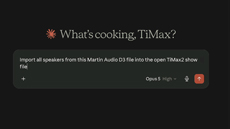
TiMax Launches AI Assistant Support to SoundHub SoftwareTiMax has launched AI assistant integration with the release of its latest TiMax2 SoundHub software. TiMax MCP makes SoundHub the first spatial audio and show control platform to build in native support for the Model Context Protocol, the company says, the open standard that lets AI assistants work with software tools. It's free, it needs no additional license, and it's available now in the standard software release for Mac and PC. TiMax MCP turns the construction of an initial show file into a conversation, reducing manual data entry from a typical four or five hours to around thirty minutes. With TiMax SoundHub software running, a designer connects a supported AI assistant -- Claude Desktop, for example -- and describes what the show needs. The real time-saving benefit to sound designers is the ability to import speaker layouts from Martin Audio DISPLAY 3, d&b ArrayCalc and EASE files, then create and edit Speakers and their positions, Image Definitions, Subspaces, Scaling Surfaces and Output Labels. It also reconfigures venue orientation where a prediction file does not match the orientation wanted in TiMax2 software. TiMax has loaded the MCP server with detailed product knowledge -- how the software works, what Image Definitions, Subspaces and Scaling Surfaces are for, the geometry behind reference points -- so the assistant works from an in-depth understanding of TiMax rather than of audio software in general. "Nobody gets into spatial sound design to type in coordinates," says Dan Higgott, TiMax product and software manager. "There are hours of careful, unglamorous work before the first interesting decision gets made, and quite often nobody is paying for it. TiMax MCP enables the designer to shorten that time considerably and get to the creative element, faster." The scope of TiMax MCP goes no further than initial setup, sitting outside the creative design, deployment, the live cue path and the running of a show. Everything it creates appears as an ordinary TiMax object, visible, editable and reversible, so if an AI assistant gets something wrong, recognizing and correcting it remains the designer's own skill. "Setup time, not show time," says Higgott. "Every creative decision stays where it belongs, with the designer." Last year, the OSC overhaul opened SoundHub to third-party control, bringing integrations with a wide range of consoles, audio controllers and apps. TiMax MCP extends that to the supported AI assistants designers already use, working on spatial audio projects across any professional loudspeaker brand. TiMax MCP is available free of charge in the latest TiMax2 SoundHub software release on Mac and PC, at timaxspatial.com, where the supported AI assistants are listed. Designers connect their own AI assistant account, free or paid, and because the setup and design workflow needs no hardware attached, it can be downloaded and tried the same day. Watch the full conversation: youtu.be/uDlb1TpoUtg. Find out more and download at timaxspatial.com/products/timax-soundhub/mcp/. 
|